Using Task Panes
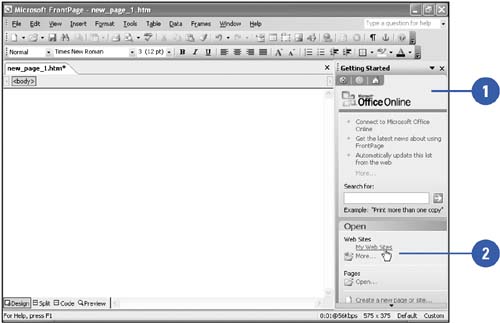
When you start FrontPage, a task pane appears by default on the right side of the program window. The task pane displays various options that relate to the current task. There are several types of options available on the task pane. You can search for information, select options, and click links, like the ones on a Web page, to perform commands. You can also display different task panes, move back and forth between task panes, and close a task pane to provide a larger work area.
Use the Task Pane
 | When you start FrontPage, the task pane appears on the right side of your screen. |
 | Click an option on the task pane. |
Open and Close Task Panes
| Click the View menu, and then click Task Pane. |
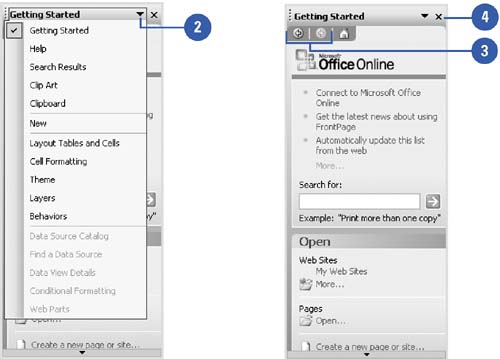
| To open another task pane, click the list arrow on the task pane title bar, and then click the task pane you want. |
 | To switch between task panes, click the Back and Forward task pane buttons. |
 | Click the Close button on the task pane. |
|
