Creating a Project Web Site
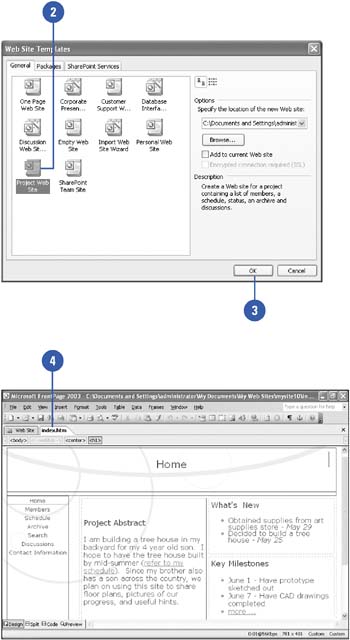
You can create a project Web site that contains a list of members, a schedule, status, an archive, and discussions in one easy step. All you need to do is select the Project Web Site Wizard in the Web Site Templates dialog box and FrontPage does all the rest. You don't even need to answer any wizard questions.
Create a Project Web Site
 | Click the New button list arrow on the Standard toolbar, and then click Web Site. |
 | Click the Project Web Site icon. |
 | Click OK. |
 | Double-click the index.htm file to open the project Web site home page to view the site. |
|
