Closing a Web Page and Exiting FrontPage
After you finish working on a Web, you can close it and open another one, or close it and quit FrontPage. Closing a Web makes more computer memory available for other processes. Closing a Web is different from quitting FrontPage: after you close a Web, FrontPage is still running. When you're finished using FrontPage, you can quit the program.
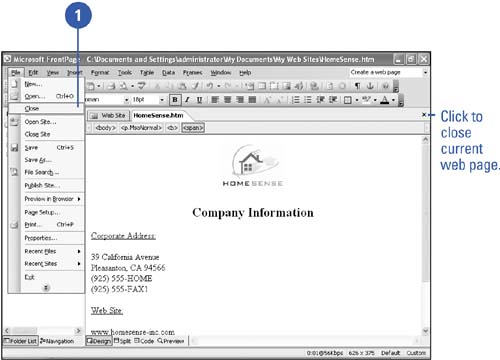
Close a Web Page or Site
 | Click the File menu, and then click Close or Close Site. |
TIMESAVER
Click the Window menu, and then click Close All Pages to close all open Web pages.  | Click Yes to save any Web changes; click No to close the Web without saving any changes; or click Cancel to return to the Web without closing it. |
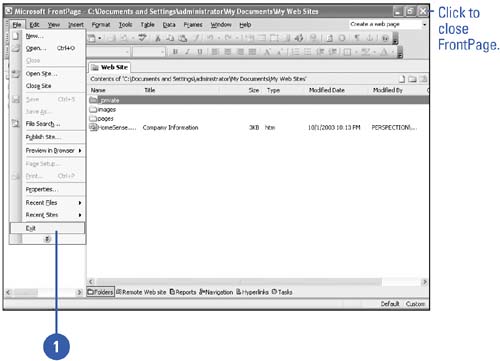
Exit FrontPage
| Click the File menu, and then click Exit, or click the Close button on the FrontPage program window title bar. |
| Click Yes to save any Web changes, or click No to ignore any changes. |
|
